 The Hosting Lexicon
Server and software terms
The short version
- A web server is the program, or the computer, that sends out web pages. Apache and nginx are two common ones.
- Browsers and servers talk using HTTP. Every reply carries a status code, such as 404.
- Many hosts run the LAMP set of software: Linux, Apache, MySQL and PHP.
- You manage a hosting account through a control panel, and move files with SFTP or log in with SSH.
Web server
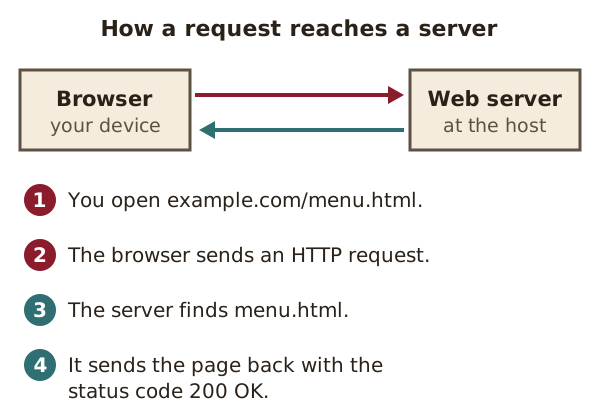
A web server is the software, or the computer running it, that stores a site's files and sends them to browsers.[1]
The software part understands web addresses and HTTP.[1] When a request comes in, it finds the right file and sends it back.[1]
Think of a librarian. You hand over a slip with a book's code. The librarian fetches the book and passes it across the desk.
See also: HTTP · Apache HTTP Server · nginx · Web host.
HTTP
HTTP is the set of rules browsers and web servers use to ask for and send web pages.[1]
Each request stands alone. Neither side remembers earlier messages.[1] So a site that keeps you logged in needs extra software on top.
Origin: the current core standard for HTTP is RFC 9110, published in June 2022.[2]
See also: HTTP status code · HTTPS.
HTTP status code
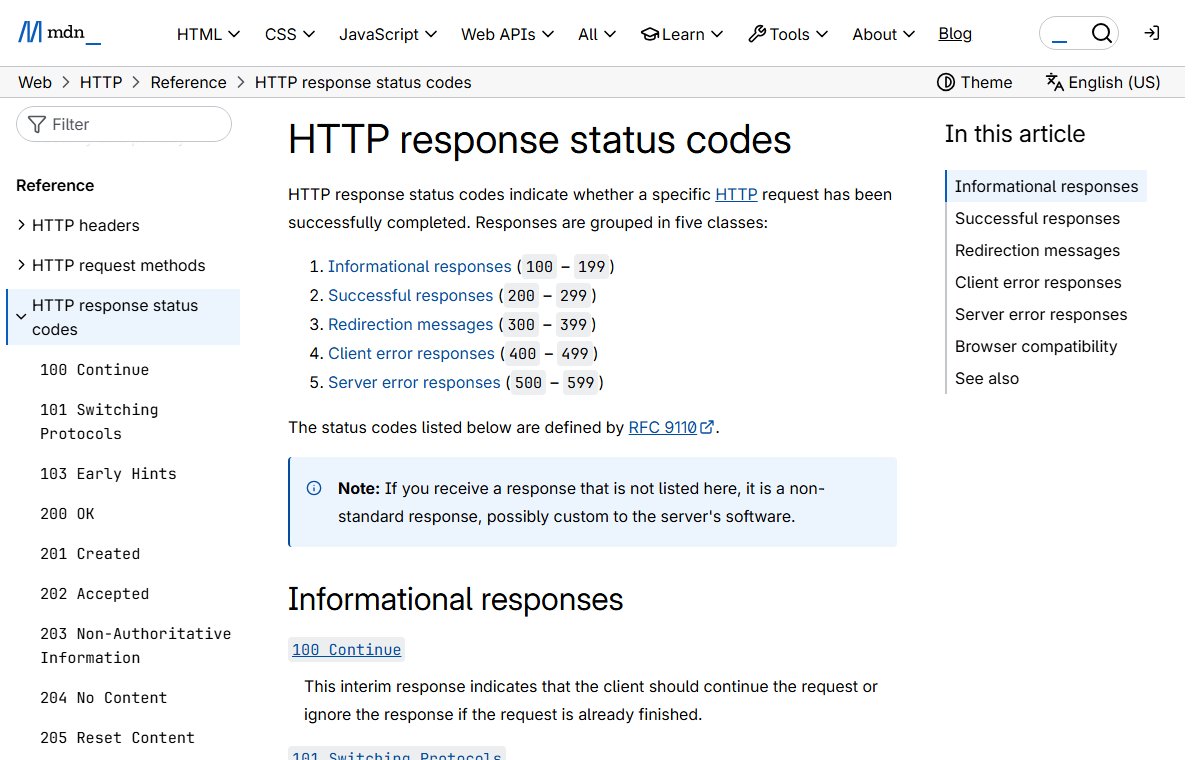
A status code is a three-digit number a server sends back to say how a request went.[2]
The first digit gives the kind of answer. There are five kinds.[2] A few common ones:
- 200 OK: the request worked.[3]
- 404 Not Found: the server cannot find what was asked for.[3]
- 500 Internal Server Error: something went wrong on the server.[3]
- 503 Service Unavailable: the server can't cope right now. It may be down for maintenance or overloaded.[3]
Apache HTTP Server
Apache is a free, open-source web server program.[4]
It grew out of fixes that webmasters shared for an older server. See the history page for that story. It was the most used web server from 1996 until about 2016.[5]
Origin: Apache 1.0 was released on 1 December 1995.[4]
See also: Web server · nginx · LAMP stack.
nginx
The program nginx, said "engine x", is a web server. It can also cache content, share out traffic and pass requests to other servers.[6]
That makes it useful in front of other software. For example, nginx can send out a site's plain files itself.[6] It can pass other requests on to a separate program as a reverse proxy.[6]
Origin: nginx was first written by Igor Sysoev.[6] It was released to the public in 2004.[7]
See also: Apache HTTP Server · Load balancing · Cache.
Virtual host
A virtual host is one of several websites run by the same server.[8]
Visitors can't tell that the sites share a machine.[8] Each browser request names the site it wants. The server reads that name and picks the right site.[2]
This is how shared hosting fits hundreds of sites on one server. For example, example.com and example.net could both live on one machine.
See also: Web server · Shared hosting.
Control panel
A control panel is a website a host gives you for managing your hosting account.[9]
From it, you can usually manage files, databases, email and file transfer.[9] You click buttons instead of typing commands on the server.
Origin: cPanel, one of the best-known panels, was first released in March 1996.[10]
See also: Shared hosting · Reseller hosting.
LAMP stack
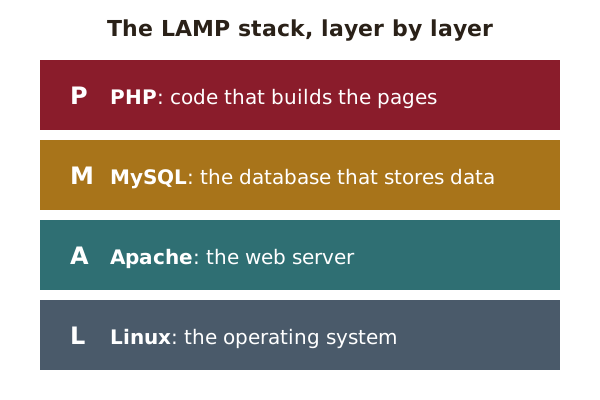
LAMP is a common set of free software for running websites: Linux, Apache, MySQL and PHP.[11]
Each letter is one layer. Linux is the operating system. Apache is the web server. MySQL holds the data. PHP runs the code that builds pages.[11] The P can also stand for Perl or Python.[11]
A stack is just a set of programs that work together, one on top of another.
Origin: the name LAMP was coined in December 1998.[11]
See also: PHP · Database · Dynamic site.
PHP
PHP is a programming language made for building websites.[12]
PHP code usually runs on the web server.[12] It might fetch the latest posts from a database and slot them into a page. The browser only ever sees the finished page.
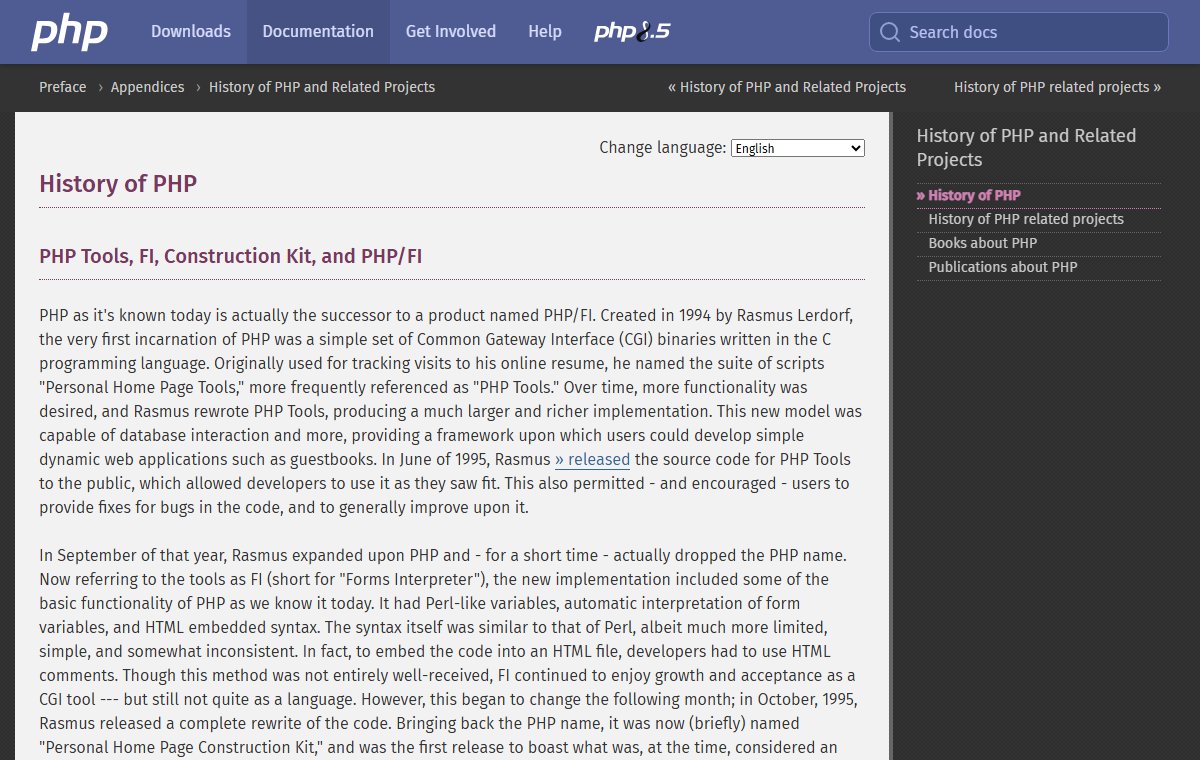
Origin: PHP was created in 1994 by Rasmus Lerdorf.[13] It first stood for "Personal Home Page Tools".[13]
See also: LAMP stack · Dynamic site.
Database
A database is an organised store of data that software can search and update. MySQL is a common one on web hosts.[14]
MySQL keeps data in tables, a little like a spreadsheet.[14] A blog keeps its posts and settings in its database.[15]
Origin: MySQL was first released on 23 May 1995.[14]
See also: LAMP stack · Backup.
FTP
FTP, short for File Transfer Protocol, is an old set of rules for moving files between computers.[16]
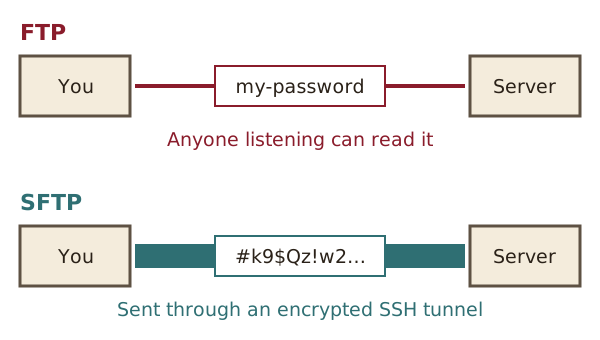
FTP does not encrypt anything. Passwords and files travel as plain text that anyone snooping on the network can read.[17] Today SFTP is seen as its replacement, because SFTP is more secure.[18]
Origin: the FTP standard, RFC 959, dates from October 1985.[16]
SSH
SSH, short for Secure Shell, lets you log in to a server over the internet and type commands safely.[19]
It replaced older tools that sent passwords as plain, readable text.[20] For example, the owner of a VPS might use SSH to install updates.
Origin: Tatu Ylönen designed SSH in 1995.[20]
See also: SFTP · Unmanaged hosting.
SFTP
SFTP is a way to move files to and from a server over a secure SSH link.[18]
It does the same job as FTP, but everything is encrypted.[18] For example, a developer can upload a new page to a server without the password being exposed.
Sources
- What is a web server?, MDN Web Docs (accessed 2026-10-18)
- RFC 9110: HTTP Semantics, IETF (accessed 2026-10-18)
- HTTP response status codes, MDN Web Docs (accessed 2026-10-18)
- About the Apache HTTP Server Project, The Apache Software Foundation (accessed 2026-10-18)
- NCSA HTTPd, Wikipedia (accessed 2026-10-18)
- nginx, nginx.org (accessed 2026-10-18)
- nginx, Wikipedia (accessed 2026-10-18)
- Apache Virtual Host documentation, The Apache Software Foundation (accessed 2026-10-18)
- Web hosting control panel, Wikipedia (accessed 2026-10-18)
- cPanel, Wikipedia (accessed 2026-10-18)
- LAMP (software bundle), Wikipedia (accessed 2026-10-18)
- PHP, Wikipedia (accessed 2026-10-18)
- History of PHP, The PHP Group (accessed 2026-10-18)
- MySQL, Wikipedia (accessed 2026-10-18)
- Backups (WordPress Advanced Administration Handbook), WordPress.org (accessed 2026-10-18)
- RFC 959: File Transfer Protocol (FTP), IETF (accessed 2026-10-18)
- File Transfer Protocol, Wikipedia (accessed 2026-10-18)
- SSH File Transfer Protocol, Wikipedia (accessed 2026-10-18)
- RFC 4251: The Secure Shell (SSH) Protocol Architecture, IETF (accessed 2026-10-18)
- Secure Shell, Wikipedia (accessed 2026-10-18)