 The Hosting Lexicon
Security terms
The short version
- TLS scrambles data between a browser and a server so no one else can read it. SSL is its older name.
- HTTPS is the web's normal protocol with TLS added. It needs a certificate, issued by a certificate authority.
- A firewall blocks harmful requests. A denial-of-service attack tries to swamp a site with traffic.
- Backups and snapshots are copies you can go back to when something breaks.
SSL
SSL, short for Secure Sockets Layer, was the older way to set up an encrypted link between a server and a browser.[1]
Encrypted means scrambled, so that only the two ends can read it. SSL has since been replaced by TLS.[1]
The old name is still common. Many people say SSL when they mean TLS, as the two names cover the same idea.[2]
Origin: the last version, SSL 3.0, was released by Netscape in 1996.[1]
See also: TLS · SSL certificate.
TLS
TLS, short for Transport Layer Security, is the protocol that keeps traffic between a browser and a server private.[2]
A protocol is a set of rules two computers agree to follow. TLS is designed to stop anyone listening in, changing messages or faking them.[3]
For example, say you log in to a site over TLS on café Wi-Fi. Anyone snooping sees only scrambled data.
Origin: the current version, TLS 1.3, was published in August 2018.[3] Browsers began dropping the old versions 1.0 and 1.1 in early 2020.[2]
HTTPS
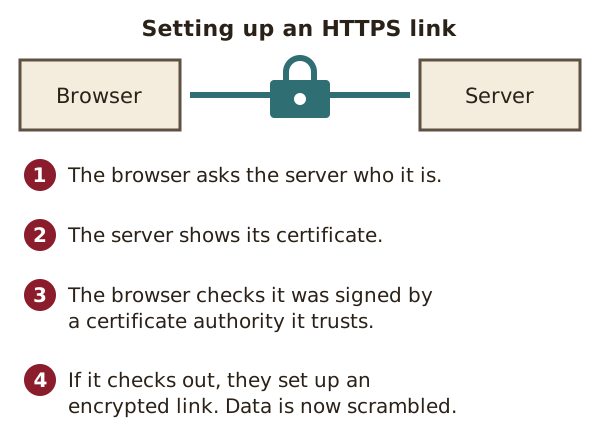
HTTPS is the encrypted version of HTTP, the protocol browsers use to fetch web pages.[4]
It uses TLS to scramble everything sent between the browser and the server.[4] An address that starts with https:// uses it.
Origin: Netscape created HTTPS in 1994.[5]
See also: HTTP · TLS · SSL certificate.
SSL certificate
An SSL certificate is a small file that proves a website is who it says it is. Its proper name is a TLS certificate.
Browsers ask the server for a valid certificate before they set up a secure link.[2] Without one, the secure link cannot be made.[2]
Certificates do not last forever. Let's Encrypt certificates, for example, are valid for 90 days by default.[6] Renewing one means going through the same checks again.[7]
See also: Certificate authority (CA) · Domain validation.
Certificate authority (CA)
A certificate authority is an organisation that signs and issues certificates.[8]
Browsers trust a set of these authorities. The authority acts as a trusted third party between the website and the visitor.[8] It is a bit like a passport office vouching for a passport.
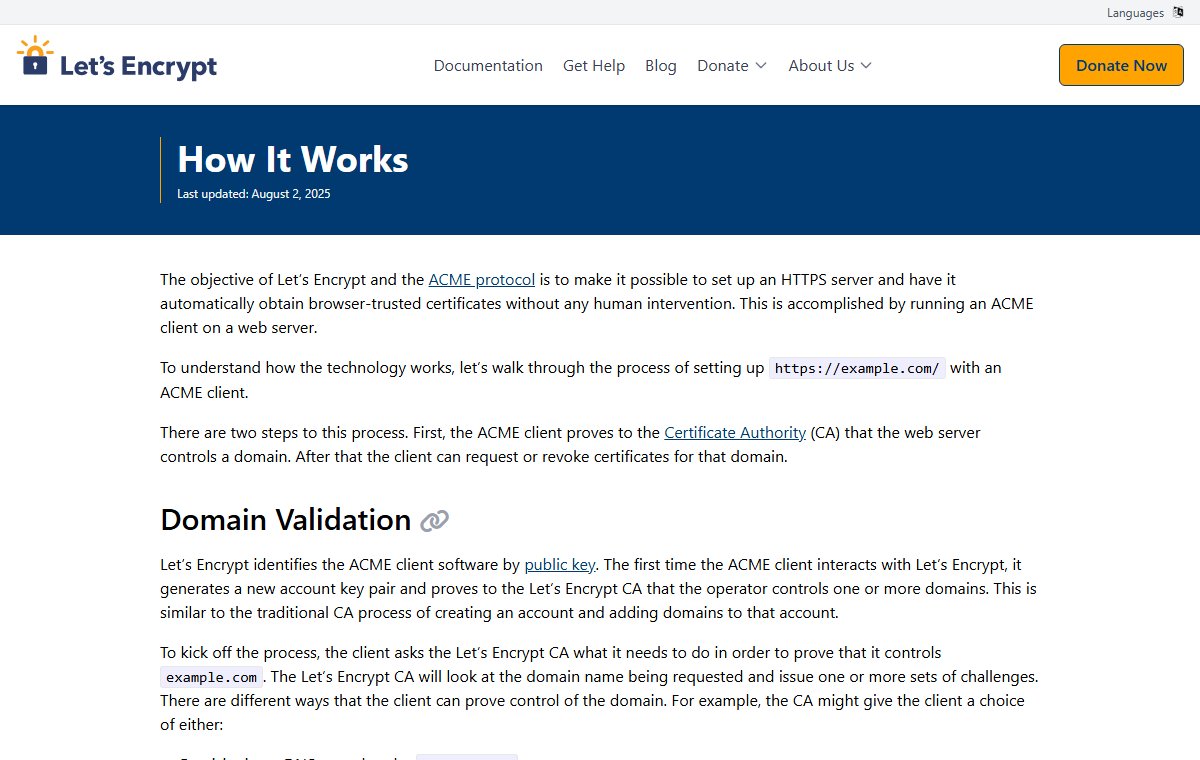
Origin: Let's Encrypt is a CA that does not charge for certificates.[6] Its software can get a certificate with no human steps at all.[7]
See also: SSL certificate · Domain validation.
Domain validation
Domain validation is a check that the person asking for a certificate really controls the domain name.
A domain name is a site's address, such as example.com. To pass the check, software on the server proves to the CA that it controls that name.[7] One way is to place a special file at a set path on the site.[7]
Certificates checked only in this way are called DV certificates. They are the kind Let's Encrypt gives out.[6]
See also: Certificate authority (CA).
Web application firewall (WAF)
A WAF is a filter that checks web traffic going to a site and blocks harmful requests.[9]
A web application is a site that runs code, such as a shop or a login page. Attackers try to exploit known weak spots in that code. A WAF can stop many of those attempts before they reach the site.[9]
Think of a door attendant who turns away anyone carrying something dangerous.
Origin: dedicated WAF products appeared in the late 1990s.[9]
See also: Denial-of-service attack (DDoS) · Dynamic site.
Denial-of-service attack (DDoS)
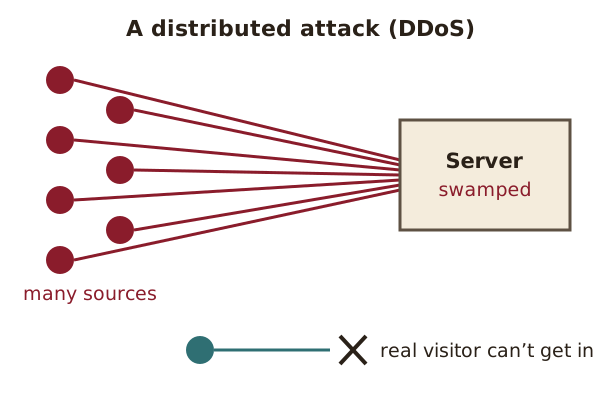
A denial-of-service attack tries to make a site or server unusable for the people who need it.[10]
It usually works by flooding the target with junk requests.[10] Real visitors then can't get through, like callers to a jammed phone line.
In a distributed attack, or DDoS, the flood comes from many sources at once.[10] Blocking one source is not enough.[10]
Origin: the first known attack of this kind hit the internet provider Panix.[10] On 6 September 1996, it took Panix's services down for several days.[10]
See also: Web application firewall (WAF) · Content delivery network (CDN).
Backup
A backup is a copy of data, kept somewhere else, that can restore the original if it is lost.[11]
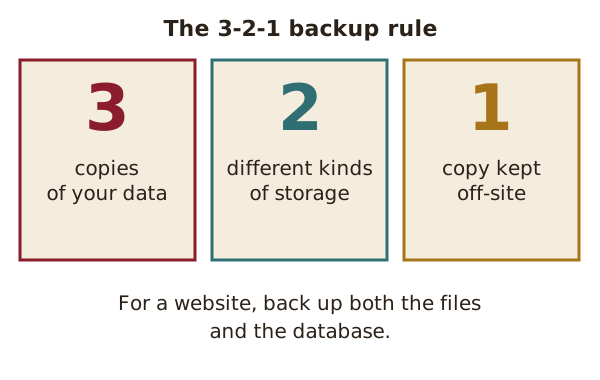
A typical website has two parts to back up: its files and its database. You need both to bring a site like WordPress fully back.[12]
A well-known guide is the 3-2-1 rule. Keep at least 3 copies, on 2 different kinds of storage, with 1 copy kept off-site.[11] A copy that sits only on the same server can be lost along with it.
See also: Snapshot · Migration.
Snapshot
A snapshot is a record of a system exactly as it was at one moment.[13]
The name comes from photography.[13] A full backup of a lot of data can take a long time.[13] A snapshot freezes a single moment, so you can roll back to it.
For example, you might take a snapshot of a VPS just before a big update. If the update goes wrong, you return to the snapshot.
See also: Backup · Virtual private server (VPS).
Sources
- Secure Sockets Layer (SSL) (MDN Glossary), MDN Web Docs (accessed 2026-10-18)
- Transport Layer Security (TLS) (MDN Glossary), MDN Web Docs (accessed 2026-10-18)
- RFC 8446: The Transport Layer Security (TLS) Protocol Version 1.3, IETF (accessed 2026-10-18)
- HTTPS (MDN Glossary), MDN Web Docs (accessed 2026-10-18)
- HTTPS, Wikipedia (accessed 2026-10-18)
- FAQ, Let's Encrypt (ISRG) (accessed 2026-10-18)
- How It Works, Let's Encrypt (ISRG) (accessed 2026-10-18)
- Certificate authority, Wikipedia (accessed 2026-10-18)
- Web application firewall, Wikipedia (accessed 2026-10-18)
- Denial-of-service attack, Wikipedia (accessed 2026-10-18)
- Backup, Wikipedia (accessed 2026-10-18)
- Backups (WordPress Advanced Administration Handbook), WordPress.org (accessed 2026-10-18)
- Snapshot (computer storage), Wikipedia (accessed 2026-10-18)